Why don't I see events for a specific customer or resources belonging to me
Challenge
Can't see events for a specific customer or resources belonging to me.
Cause
No access rights.
Solution
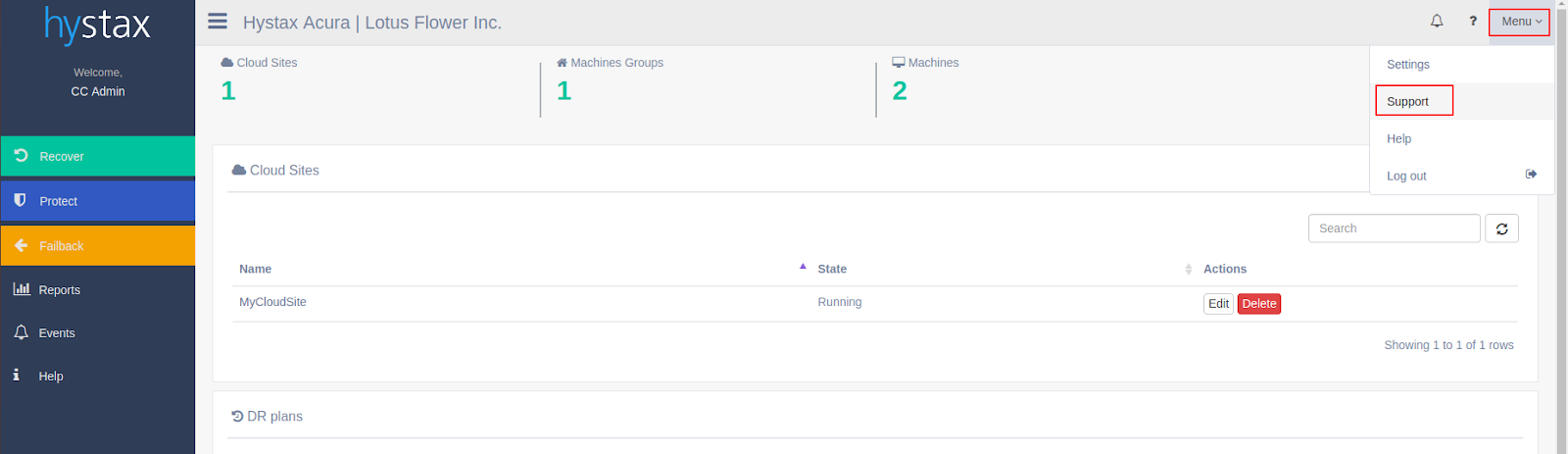
Click on the drop-down "Menu" list in the top right corner, select "Settings".
Click on the "Roles" tab and check roles and access rights.
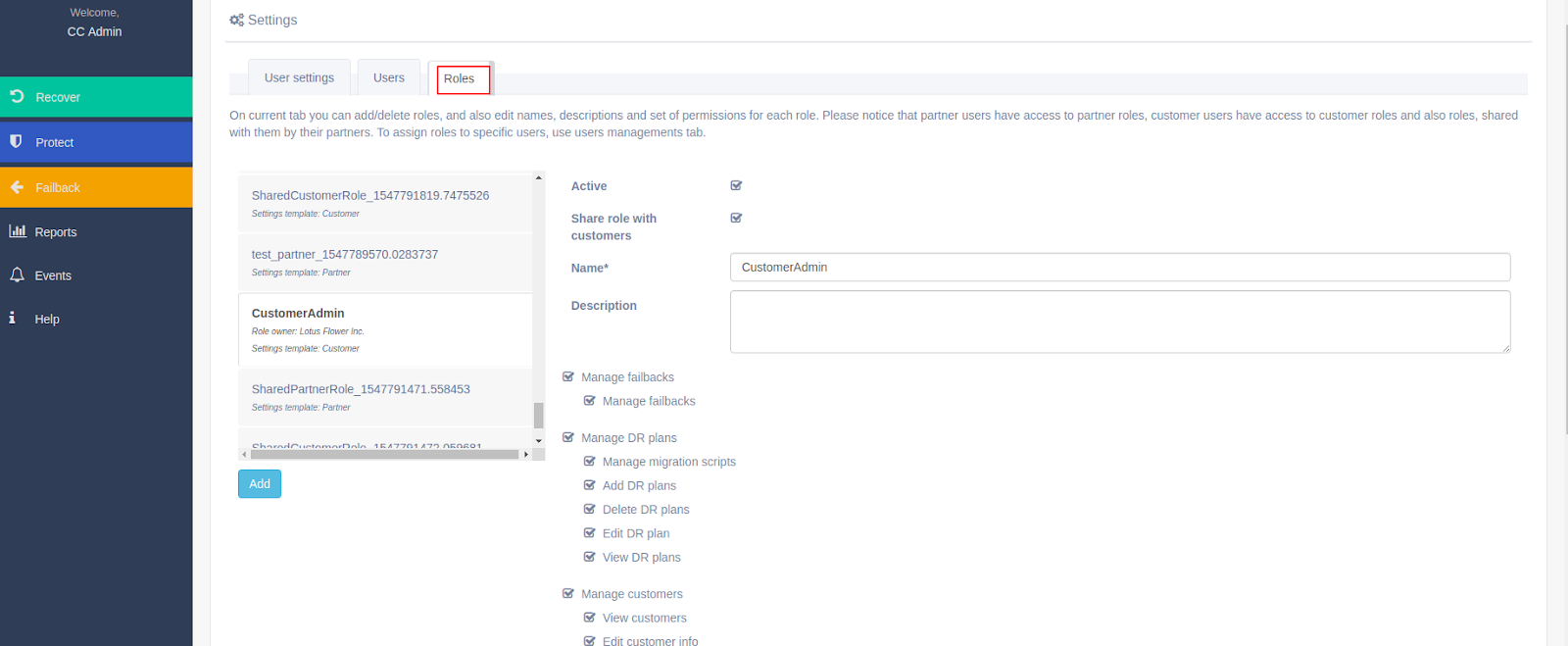
Scroll down

Related Articles
"Forbidden (403)" error appears during certain actions
Challenge User cannot see anything in Hystax Acura Control Panel or doesn’t have rights to perform any action (getting 403 Forbidden) Cause The role assigned to the user doesn’t give them rights to perform certain actions Solution In this situation, ...
Diagnosing low replication speed caused by the source machine
Challenge The Acura Control Panel shows that one of the machines is being replicated with an undesirably low speed. Cause There are several factors that may interfere with a replication and cause a "bottleneck" issue for its speed. But before ...
Reasons why certain cloud functions don't work after migration
Challenge Some specific cloud functions won’t work. The following message can be seen in “VM -> Settings -> Properties” of Azure Web Console: Cause The program “Azure Virtual Machine Agent” is not installed on the Azure instance, therefore, some ...
Replication agent is installed, but the machine doesn't appear in ACP
Challenge A replication agent is installed, but the machine is not discovered in Acura. Solution 1) If a new agent is installed on the machine discovered in Acura before, configuration files from the previous installation might still be in use as ...
Non-working networking in failover\failback Linux devices.
Challenge Non-working networking in failover\failback Linux devices. Cause The issue may appear due to the naming of interfaces in Linux. Interface names are based on the NIC type used, so while switching hypervisor (for a Cloud Site or a failback) ...